MANUAL · AIRlert™ LIVE
AIRlert LIVE is where carers work day to day: the Community LOOP,
RESPOND, traffic lights, alert emergencies and
OUTBOUND triggers — with traditional telecare paths still included.
Matches the sign-in walkthrough.
Document date (UTC): 2026-10-05.
Downloaded snapshot — carousel images load from http://live.airlert.co.uk/php while online.
What you do on AIRlert LIVE
Train staff on these LIVE jobs first. Deep Settings / Export menus are not the place for everyday care setup.
Community LOOP
Family, friends and professional carers share one LIVE timeline. Anyone’s Acknowledge / RESPOND is visible to the rest — community care stays informed together, while traditional telecare (nurse-call, pagers, ARC) stays included on the same event.
RESPOND & green tick
Tap to RESPOND on a message (or open Message Actions → RESPONDED with an optional note). Stops emergency flash, logs Staff Responded, and shows a green tick so the Community LOOP can see who closed the alert.
HUB traffic lights
Red / orange / green tiles for every HUB you can see. Open from the hub home or LIVE menu — expand pending causes, clear after RESPOND, fix broken OUTBOUND setup, leave unused HUBs grey, and treat green as OK with no open issues. LIVE messages stay paused while the grid is open.
Alert emergencies
From LIVE, raise orange or red emergencies on matching HUB messages (including HUB rules that fire straightaway or after a delay such as not-return-to-bed).
OUTBOUND triggers
Choose which OUTBOUND channels fire when an alert matches — WhatsApp, SMS, voice / AI-CALL, email and more — and finish contacts under OUTBOUND ALERTS so community and professional paths both work.
Audit downloads
Logged messages, system messages and OUTBOUND traffic can be downloaded for auditing and handover. Day-to-day setup belongs on LIVE (RESPOND, traffic lights, emergencies, OUTBOUNDS) — not deep Settings / Export menus.
AI overnight summaries
Optional AI Message Centre rows (From: AIRlert AI) sit beside hub traffic — useful overnight sleep / rise stories without replacing RESPOND or the Community LOOP.
Traditional telecare kept
The same hub event can still trip the in-room nurse-call point, on-site pagers, ARC pathways and Open API partners — alongside community WhatsApp / SMS RESPOND.
Android AIRlert LIVE app
Use the native LIVE app (Play closed testing or sideload) for the same board on a phone or wall tablet — App Key / sign-in pair, not the old website-wrap shell.
Hub Wi-Fi setup
Add a Gateway HUB to your Wi-Fi from its captive portal (FP-PDH… AP → address on the HUB label). Step-by-step screenshots are on Welcome / Hub Wi-Fi guide.
Carousel gallery (sign-in walkthrough screenshots)
Slides prefer img/walkthrough/atoms_* assets; placeholders appear until those PNGs are uploaded on your server.
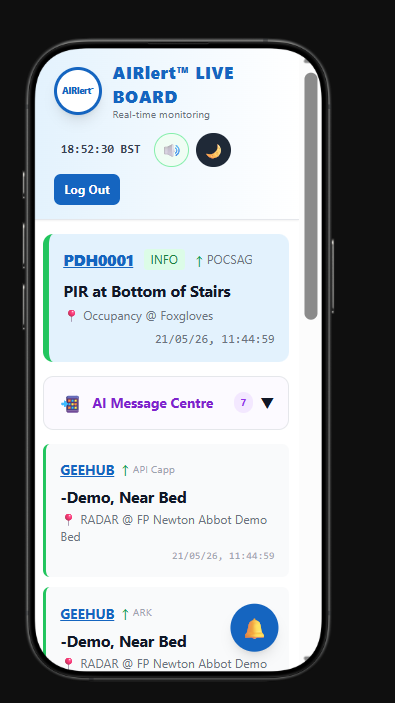
1. AIRlert LIVE — one shared board for family, friends and professional carers. The Community LOOP keeps everyone informed while traditional telecare (nurse-call, pagers, ARC) stays in place.
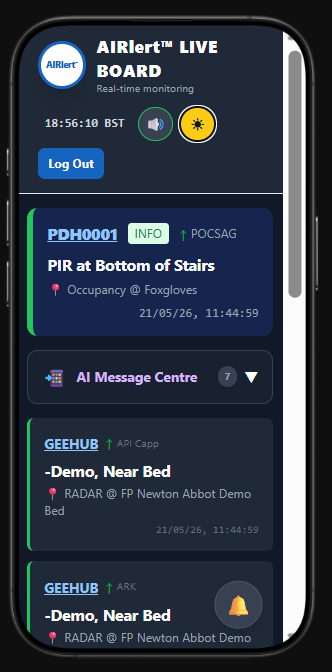
2. RESPOND — Tap to RESPOND (or Message Actions) so carers acknowledge an alert. A green tick shows who closed the loop for the rest of the Community LOOP.
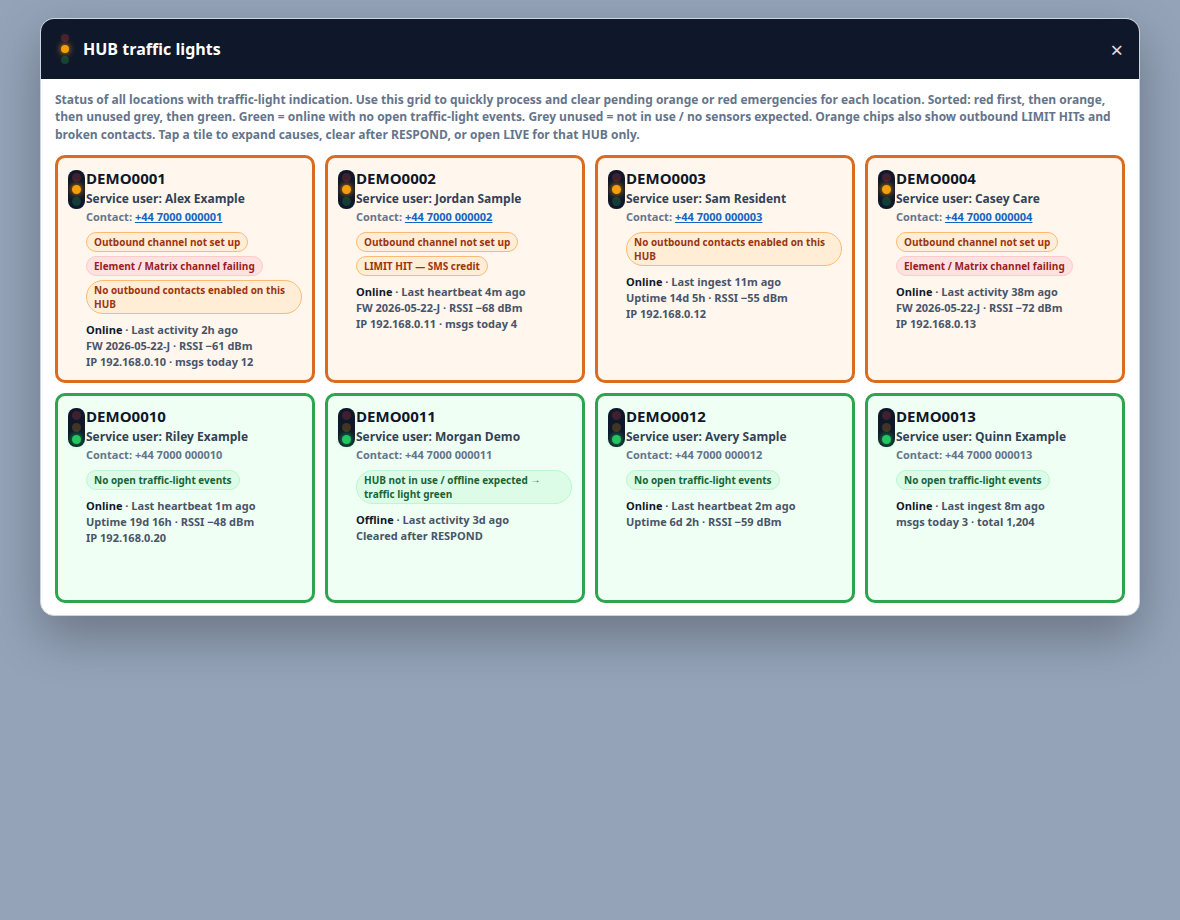
3. Traffic lights — red / orange / green tiles for every HUB. Open pending causes, clear after RESPOND, fix broken OUTBOUND setup, and keep unused HUBs grey so green always means OK. (Demo tiles use fictional names / numbers.)
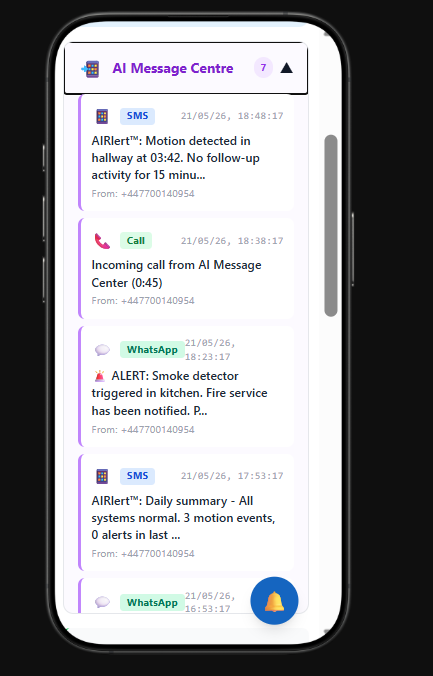
4. Emergencies & OUTBOUND triggers — from LIVE, set alert emergencies and which outbound channels fire (WhatsApp, SMS, voice, email and more) when a HUB message matches.
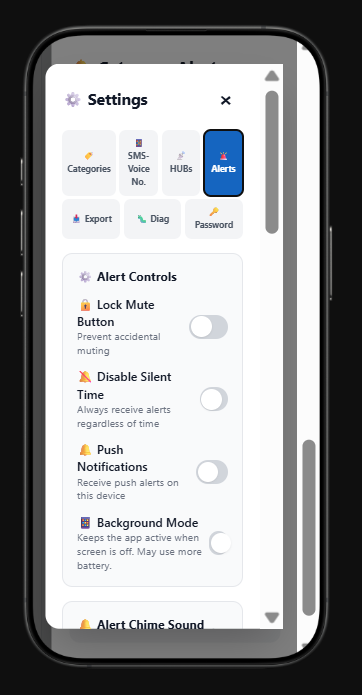
5. OUTBOUND contacts — finish who to call / message on each HUB from LIVE OUTBOUND ALERTS so the Community LOOP and professional care paths both work.
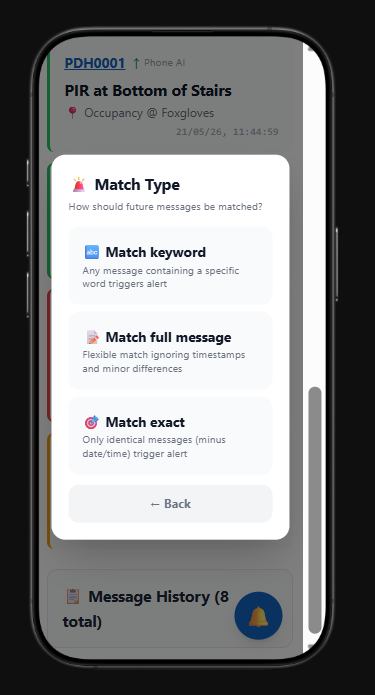
6. Audit downloads — logged messages, system messages and OUTBOUND traffic can be downloaded for auditing and handover (not day-to-day setup from LIVE).
Operating AIRlert LIVE
- Open AIRlert LIVE: sign in, tap the board on Welcome, or open
iot_live_gate.php. On Android use the native AIRlert LIVE app (App Key pair — not the old website-wrap shell). Staff helping someone on the phone should open LIVE from Support Desk as that user, not as a second admin board. - Board look: User menu → Board look. Paste a photo or a house listing page (Rightmove etc.), then Save look. AIRlert LIVE copies the picture into that login’s cloud folder so Youngs and Tom do not share a wallpaper. A listing page is not a photo by itself — we save the property picture from it.
- One live surface: each open LIVE board, Nurse Call Display, Traffic Lights grid, or APK asks AIRlert LIVE for a snapshot every few seconds. On a call, keep LIVE as that user or Message Flow — not both plus hubs-status. Close unused boards; they share the same Apache workers as HUB ingest and outbound alerts.
- Community LOOP: one HUB event reaches community & family (Acknowledge / RESPOND on shared channels) and professional care (nurse-call point, pagers, ARC, Open API) together — community care is shared and informed; traditional telecare is maintained, not removed. See the AIRlert LIVE & HUB scope PDF.
- RESPOND: tap the blue Tap to RESPOND strip (or Message Actions → RESPONDED with an optional note). Stops emergency flash, logs Staff Responded, silences identical repeats on that hub for a short window, and shows a green tick for the Community LOOP.
- Traffic lights: from Welcome, the Traffic lights control (or LIVE menu) opens the tile grid — red / orange / green per HUB, expand pending causes, clear after RESPOND, fix broken OUTBOUND setup, grey for unused. Green means OK with no open traffic-light issues. LIVE messages stay paused while the grid is open. See the anonymized screenshots in the walkthrough carousel above.
- Alert emergencies: from LIVE / HUB rules, set when a message raises an orange or red emergency on the board (including straightaway or delay rules such as not-return-to-bed).
- OUTBOUND triggers: choose which channels fire on a match (WhatsApp, SMS, voice / AI-CALL, email, …) and finish OUTBOUND ALERTS contacts for each HUB so alerts actually leave.
- Audit downloads: logged messages, system messages and OUTBOUND traffic can be downloaded for auditing and handover (Account backups / traffic reports). Do not treat deep Settings or Export menus as the place to set up day-to-day care on LIVE.
- Hub Wi-Fi: join the Gateway HUB captive portal (
FP-PDH…AP → address on the hub label) — see Hub Wi-Fi setup. - Offline nurse-call (admin): Commands to Hubs can still fire the in-room Nurse Call Point when internet is down — traditional telecare path kept.
Hosting and telemetry notes
- Rebuild path: React sources build into
php/iot_live/; seeiot_live/README_DEPLOY.txtfor hashing and SW cache bumps. - How the GCloud mirror serves LIVE: one VM (
airlert-app-mgsp), ApacheMaxRequestWorkers40, PHP → Cloud SQL on every poll. ~2,000 HUB messages/day and WhatsApp/SMS/voice are a different pipe from poll storms. Feed cache is APCu thenphp/tmp(Redis off until soak). Do not leave extra LIVE/APK/Nurse Call copies polling. PHP/JS hotfixes usedocker cp— never recreate the Managed Instance Group. - Uptime texting: configure Manage Hub Profile → Change activity / uptime heartbeat; optional
airlert_uptime_ping.php?token=…. - Web Push: requires HTTPS, VAPID keys, Composer web-push dependency (see README_DEPLOY). FCM/SSE to replace hard polling stay off until outbound latency looks stable.
- Downloads: newer APK manifests live beside files under
php/downloads/.
More help
- Open the board from AIRlert LIVE after signing in.
- Higher-access staff use the board → sign-in when appropriate, then Welcome after authenticating.